AI in Customer Service: What It Is, How It Works, and How to Use It Well
Customer service teams are squeezed from two sides. Customers expect an answer in seconds, on whatever channel they chose, while contact volume climbs and headcount holds flat. AI in customer service is the response most companies are betting on.
Companies use artificial intelligence to automate routine interactions, assist agents, personalize communication, and resolve issues faster across voice and digital channels, well beyond what a single website chatbot handles. AI in customer service spans phone, email, live chat, SMS, and messaging apps, plus routing, sentiment analysis, and quality checks running behind the scenes.
The forecasts pull in two directions. Agentic AI is projected to autonomously resolve 80% of common customer service issues by 2029, cutting operational costs by about 30%. At the same time, only one in five leaders have cut service staff for AI so far, and half of those are expected to rehire by 2027.
What Is AI in Customer Service?
AI in customer service is software that understands a customer's request, decides how to handle it, and either resolves it or routes it to the right person. Several technologies do this together, such as natural language processing, machine learning, generative AI, conversational AI, predictive analytics, speech recognition, sentiment analysis, autonomous AI agents, and agent-assist tools that support a human during a live conversation.
The distinction that matters most is between handling a request and resolving it. AI can greet a customer, classify the request, pull up an order, and summarize a thread without ever closing the case. Those steps are useful, but they fall short of the outcome the customer came for, which is a resolved issue rather than a handled conversation.
How AI Customer Service Works
Most interactions follow the same path, on chat or by phone:
- Receive the request. The customer types or speaks their question.
- Identify intent. The system works out what the customer wants, beyond the literal words they used.
- Retrieve information. It pulls from approved sources such as a knowledge base, order records, or account data.
- Answer or act. It generates a reply or recommends the next step.
- Complete the task. Where it can, it completes the job itself, such as processing a refund, updating an address, or booking a slot.
- Escalate when needed. For anything complex, risky, or emotional, it hands off to a human with the full conversation attached.
- Record for improvement. Each interaction feeds analytics that sharpen future answers.
Step two decides most of what happens downstream. Intent classification, set carefully before launch, is the biggest single lever on whether the system resolves requests or frustrates people. Structured intents such as password resets and order status automate cleanly, while vague or emotional requests do not and need a fast route to a person.
How Is AI Used in Customer Service?
AI runs across the whole service operation, from a customer's first message to the quality check after a case closes. The use cases sort into three groups by who the AI is helping: the customer directly, the agent on a live case, or the routing and reporting behind both.
1. Customer-facing. AI handles the conversation itself. It answers FAQs, reports order and account status, takes calls in natural language, walks customers through common fixes, and sends proactive notices before a problem turns into a ticket.
2. Agent assist. AI supports the human on a live case. It triages and drafts email replies, and surfaces the right knowledge-base answer, customer history, and next step in real time.
3. Behind the scenes. AI directs and grades the work. It routes each contact to the right place, classifies incoming tickets, and reads sentiment to flag frustration and churn risk early.
AI-Powered FAQ Handling
AI answers repeat questions about hours, pricing, returns, delivery, account steps, and required documents, day or night. The one requirement is that answers come from approved, current company data, since a bot that confidently quotes last year's return policy damages trust that is slow to rebuild.
Order, Account, and Service-Status Updates
"Where is my order?" is one of the highest-volume questions in support. AI can return order status, delivery windows, appointment times, and payment status on demand. This works only when the AI connects to live systems such as order management and CRM. A bot that says "let me check" and then cannot is worse than no bot at all.
Conversational Voice AI
Traditional IVR makes customers translate their problem into a menu: press 1 for billing, press 2 for support. Conversational voice AI lets them say what they need in their own words and handles it, or passes it to an agent with the conversation already attached.
Guided Troubleshooting
For known problems such as password recovery, device setup, connectivity, or account access, AI walks the customer through diagnostic questions and collects the details before any handoff. If it does need a human, the agent starts with the full picture instead of asking the customer to explain from scratch.
Proactive Customer Service
Proactive service solves the problem before it becomes a ticket. AI can send delivery-delay notices, appointment reminders, outage alerts, payment-failure messages, and renewal reminders before the customer has to ask. Done well, it cuts inbound volume and feels like attentiveness rather than automation. Outbound campaigns make this systematic.
Email Triage, Summaries, and Reply Drafting
AI reads an incoming email, detects intent and urgency, summarizes long threads, and drafts a reply in the right tone, applying company rules on what it can and cannot promise. Keeping the AI on draft-and-suggest, with a human sending anything sensitive, holds quality up while still saving the agent most of the writing.
AI Agent Assistance
Here AI supports the human instead of replacing them. It suggests replies, surfaces knowledge-base answers, summarizes customer history, recommends the next best action, flags compliance reminders, and takes notes automatically. The effect is that a new agent performs closer to an experienced one, because the system puts the right answer on screen in real time.
Intelligent Call Routing
Instead of a generic queue, AI routes each caller by reason for contact, customer type, language, urgency, agent skill, and case history. The payoff is fewer transfers, and transfers are exactly where customers repeat themselves and lose patience. This is the job of call control and queuing.
Ticket Classification
AI tags each incoming request by topic, product, department, language, urgency, customer value, and sentiment, then routes it to the right team the first time, so a request that would once sit in a queue gets a same-day answer.
Sentiment Analysis and Priority Detection
AI reads tone across calls and messages to catch frustration, churn risk, or a spreading outage early. It can move an angry customer to the front of the queue, alert a supervisor, or route a sensitive case to an experienced agent. Treat it as an input to human judgment rather than a verdict on its own.
AI Across Communication Channels
Most guides treat AI in customer service as a chat feature. In practice, it has to work wherever customers already are, and each channel suits a different job.
| Channel | Best suited to |
| Website and in-app chat | FAQs, troubleshooting, lead qualification |
| Voice and video | Appointments, service status, complex or urgent support |
| Detailed inquiries, case management, drafting, follow-up | |
| SMS | Reminders, alerts, confirmations, status updates |
| WhatsApp, Messenger, Viber | Ongoing conversations, notifications, updates |
Why Omnichannel Context Matters
Channels multiply, but the customer is one person with one problem. There is a simple test for a real omnichannel setup: when someone starts on chat and finishes on the phone, do they have to explain themselves twice?
Most tools fail that test because each channel is its own island. A chatbot can answer a web question well and still leave the voice team blind to what was already said. The customer repeats their order number, their issue, and their history, and patience drops with every retelling.
Carrying context across channels is what a single platform does that a stack of separate tools cannot. When chat, voice, email, and messaging share the same customer record and conversation history, AI can pass a live issue to a human, or move it from one channel to another, without losing the thread.
The customer feels recognized and the agent starts informed. That continuity matters more than any single feature in whether AI actually helps. It is also the practical case for running channels on one platform instead of stitching point tools together.
Benefits of AI in Customer Service
Done well, AI in customer service delivers on several fronts, though none of it is automatic: each benefit depends on clean data, clear escalation, and the right use case.
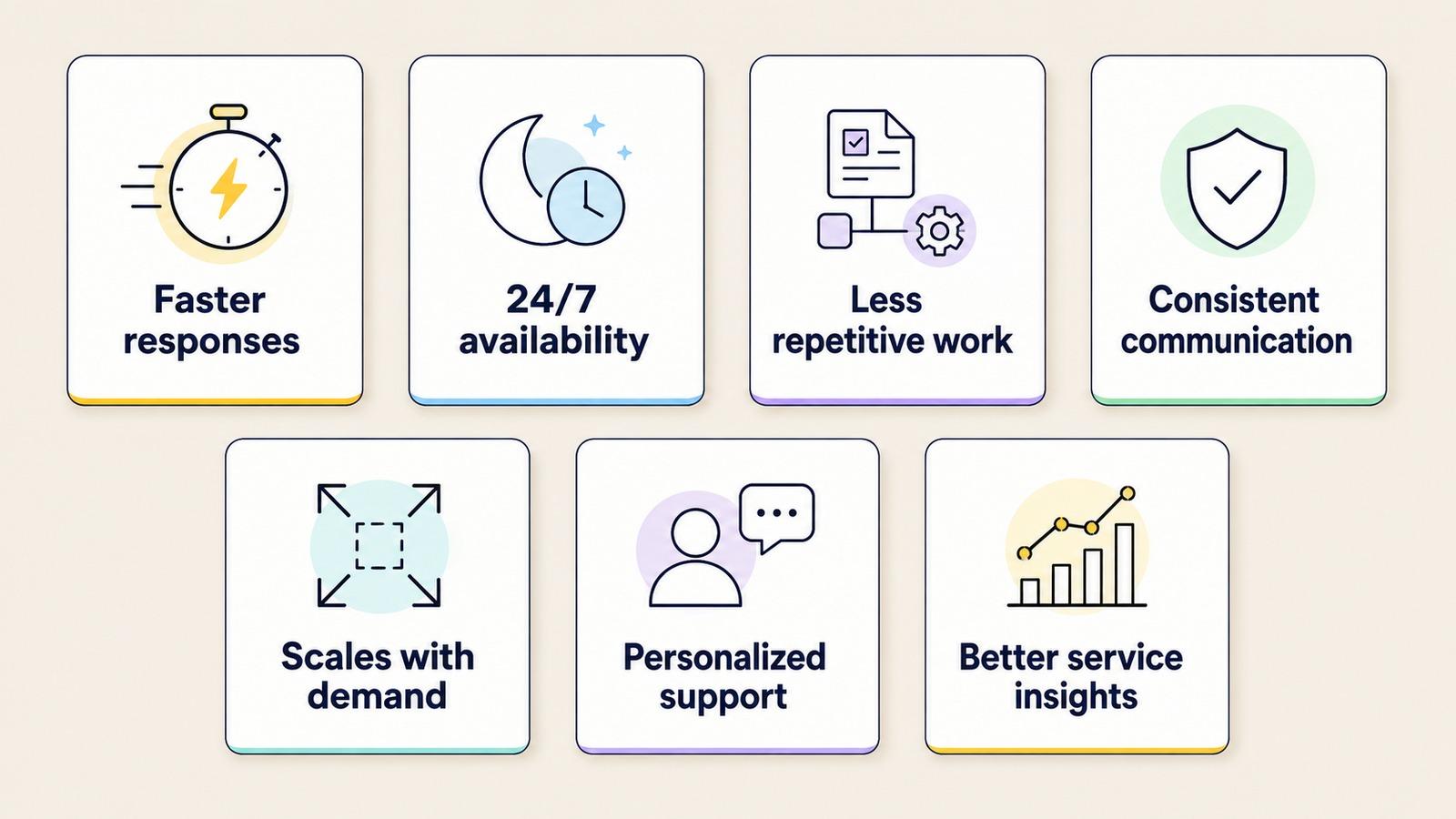
- Faster response times. Routine questions get answered the moment they arrive, with no queue for something a machine can settle in seconds.
- 24/7 availability. Support does not clock out. AI covers nights, weekends, and the spikes a campaign or an outage sends its way.
- Lower repetitive workload. Repeat questions, summaries, classifications, and first drafts move off the agents' plate, which frees people for work that needs a person.
- Consistent communication. Drawing on approved information and set workflows, AI gives the same correct answer every time, so quality does not swing with who picks up.
- Scalability. Volume can double for a season or a launch without a matching jump in headcount, because AI absorbs the predictable load.
- Personalized support. With permission to use context like past conversations, language, and open cases, AI tailors answers instead of treating every customer as new.
- Better service insights. Every handled conversation is data, surfacing recurring problems, shifting sentiment, and gaps in the knowledge base before they grow.
Productivity is the benefit with the hardest evidence behind it. In a study of more than 5,000 support agents, access to an AI assistant raised issues resolved per hour by 15% on average, with the largest gains going to less-experienced agents, so a new hire reaches competence faster.
How AI Works With Human Customer-Service Agents
The common worry is that AI removes agents. A better model instead moves them to the work where they add the most.
AI takes the high-volume, repetitive tier: status checks, password resets, and the handful of questions that fill a queue. Human agents take the tier that needs judgment, such as the complex case, the upset customer, or the decision with money or trust on the line.
The companies that cut agents hardest are the ones now rehiring, because the second tier does not disappear when you automate the first. The join between the two tiers is the handoff, and it is where most setups fail.
A good one passes the agent everything the AI already gathered: the customer's identity and history, the steps they tried, the intent the AI detected, and a short summary of the conversation. The agent opens the case with the full picture and picks up mid-stream.
A bad handoff drops a frustrated customer into a fresh queue with none of that, undoing any goodwill the automation earned.
Some interactions should reach a human by default, however capable the AI is:
- Low confidence. The AI is unsure what the customer means or how to answer.
- High stakes. Money, contracts, legal, or safety are in play.
- Strong negative sentiment. The customer is angry, distressed, or ready to leave.
- Sensitive topics. Complaints, disputes, health, or anything personal.
Setting these triggers before launch keeps automation from becoming a trap. The AI should hand off early and cleanly, before the customer cycles through three failed loops.
The replacement debate tends to miss this. AI and agents are not competing for the same work; AI clears the volume so people have room for the conversations that build loyalty. A platform's job is to make the transfer feel like a single conversation, passing the full context to the agent at the moment of escalation.
Where AI in Customer Service Still Struggles
AI in customer service has real limits, and the deployments that fail are the ones that pretend it does not.
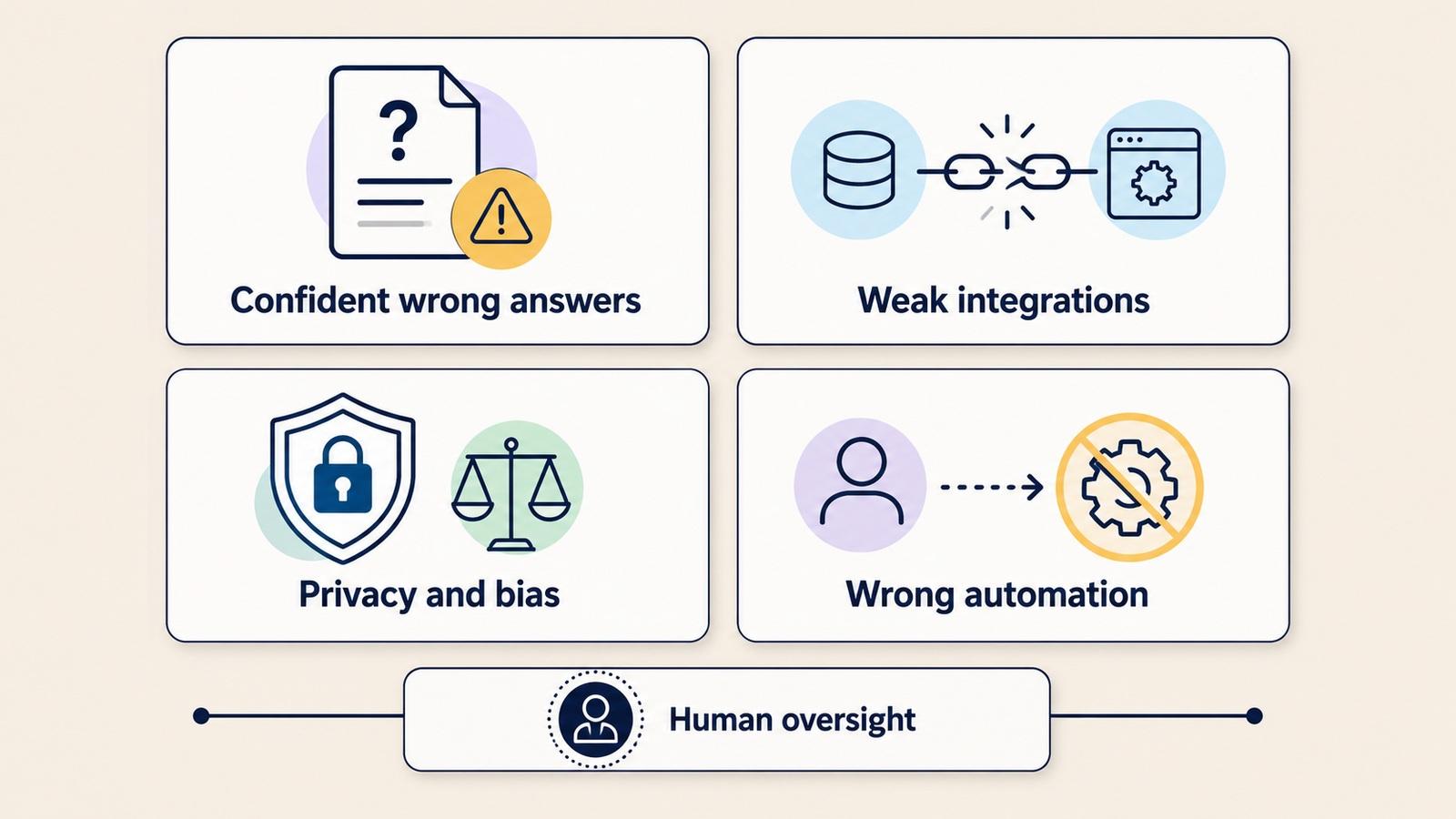
1. Confident wrong answers. AI can state something false with complete fluency. Two causes sit behind most of them: an outdated or thin knowledge base, where it quotes a policy that changed months ago, and hallucination, where it fills a gap by inventing a plausible answer.
Both are dangerous because the customer cannot tell a confident correct answer from a confident wrong one. This failure mode does the most damage, since a wrong answer given with authority can create a commitment the company then has to honor.
2. Weak integrations and broken loops. An AI disconnected from live systems can talk but not act. It says "let me check" and stalls. Worse is the loop, a bot that keeps rephrasing the same non-answer while the customer types "agent" for the fourth time. Every dead end without a human exit erodes trust with each failed attempt.
3. Privacy, bias, and brand voice. AI runs on customer data, which brings real duties about what it stores and who can see it. Models can carry bias from their training into who gets prioritized or how a complaint is read. And an ungoverned model drifts off brand, answering in a tone the company would never sign off on. None of these problems show up in a demo, but all of them show up at scale.
4. Over-automation of the wrong things. The most expensive mistake is pointing AI at conversations it was never suited to: grief, disputes, financial hardship, anything where a person needs to feel heard. Automating those to shave a few minutes does lasting damage to trust for a tiny saving in time.
None of this argues against AI; it argues for designing around its limits: approved and current knowledge sources, an obvious path to a human, monitoring the way you would monitor an agent, and clear rules for what AI is not allowed to touch. The teams that get this right treat AI as a capable junior that needs supervision instead of an oracle that replaces judgment.
How to Deploy AI in Customer Service
What separates AI that works from AI that embarrasses a brand is usually the rollout rather than the model, since even a capable model fails when it is deployed carelessly.
Choose the Right Use Case
Not every process should be automated first, or at all. Weigh each candidate on a few factors: contact volume, how repetitive it is, business value, the risk if it goes wrong, whether the data exists, how much integration it needs, how much human judgment it takes, and how easily you can measure the result.
| Good first use cases for AI | Poor candidates for full automation |
| High-volume questions | Emotionally sensitive complaints |
| Clear, repetitive workflows | Complex legal or financial decisions |
| Low-risk interactions | Situations needing significant judgment |
| Well-documented processes | Poorly documented processes |
| Easy-to-measure tasks | Cases where an error could cause harm |
The FAQs, order tracking, email drafting, and ticket classification covered earlier are the usual first wins: high volume, low risk, easy to measure.
Implement in Steps
Once the use case is chosen, the rollout follows a predictable path:
- Define the objective. Pick one measurable goal, such as shorter response time, higher first-contact resolution, or after-hours coverage.
- Analyze existing interactions. Mine call reasons, emails, chats, and tickets to see what customers actually ask and where transfers happen.
- Prepare the knowledge base. AI is only as good as the information it draws on. Keep it clean, current, and approved.
- Select the channels. Match the use case to where those customers already are.
- Set escalation rules. Decide upfront what always goes to a human: the low-confidence, high-stakes, high-emotion, and sensitive cases named earlier.
- Integrate the systems. Connect CRM, ticketing, order management, and history so the AI can act, not just talk.
- Pilot narrow. One use case, one channel, one defined audience, so any problem stays contained before you scale.
- Monitor and improve. Review failed interactions, escalation rates, and customer feedback, then feed the fixes back in.
Measure What Matters
Track a handful of numbers that show whether customers are actually helped: first response time, average handle time, first-contact resolution, CSAT, self-service resolution rate, escalation rate, cost per interaction, repeat-contact rate, and customer effort score.
Cost per interaction is the easiest number to celebrate and the easiest to game. A bot can cut cost while quietly pushing unresolved customers away. Watch resolution and effort next to cost, or you will optimize for a queue that looks empty and customers who do not come back.
How Nexios Supports AI-Powered Customer Service
Everything above describes how AI and people should split the work. Nexios runs that split in one place. Its AI layer takes the repetitive volume through voicebots, chatbots, virtual agents, and an email assistant, and when a case needs a person, it passes the full conversation and context to a human agent so the customer does not start over. That is the hybrid model from earlier, working as one system instead of a stack of disconnected tools.
The practical side matters as much as the AI. Nexios runs in the browser with no hardware to buy or maintain, launches quickly, and is managed by the Nexios team on a pay-as-you-go model, so a contact center can start small and scale without a heavy engineering project. It carries one customer context across voice and every digital channel, and serves customers in several languages from the same setup.
Ready to see how it fits your contact center? Talk to the Nexios team about putting AI to work across voice and digital channels.
AI in Customer Service FAQs
1. What is AI in customer service? AI in customer service is the use of artificial intelligence to automate routine interactions, assist agents, and resolve customer issues across voice and digital channels. It covers chatbots, voicebots, email assistants, routing, and sentiment analysis, not just a single chat widget.
2. How is AI used in customer service? AI is used to answer FAQs, track orders, draft and triage email, route and classify tickets, detect sentiment, guide troubleshooting, and send proactive notifications. Each of these works best on high-volume, predictable requests.
3. What are the benefits of AI in customer service? The main benefits are faster responses, 24/7 availability, less repetitive work for agents, more consistent answers, and easier scaling during demand spikes. The gains are real when the system runs on clean data and clear escalation.
4. Can AI replace customer-service agents? No. AI can handle high-volume, repetitive requests, but complex, sensitive, and high-value conversations still need human judgment and empathy. Companies that cut agents most aggressively have often had to rehire.
5. What is the best first AI customer-service use case? The best first use case is high-volume, low-risk, and easy to measure, such as answering FAQs, tracking orders, or scheduling appointments. Start narrow, prove it works, then expand.
6. What is the difference between an AI chatbot and an AI agent? A chatbot answers questions, usually from scripts or a knowledge base. An AI agent goes further: it reads intent, uses connected systems to complete a task like a refund or a booking, and escalates when it cannot.
7. Is AI in customer service safe? AI in customer service is safe when it is governed well, with approved data sources, clear privacy and access controls, monitoring, and an easy path to a human for anything sensitive. Safety comes from how the system is designed, not by default.
8. How can businesses implement AI in customer service? Businesses can implement AI by picking one measurable use case, preparing an approved knowledge base, connecting the AI to core systems, setting clear escalation rules, piloting on one channel, then measuring resolution and improving, starting narrow and monitored rather than broad and unattended.
Get free insights via email
Practical support insights on service metrics, AI and the playbooks teams actually run, straight to your inbox. Free, unsubscribe anytime.