15 Best Practices for Call Centers to Improve Service and Agent Performance
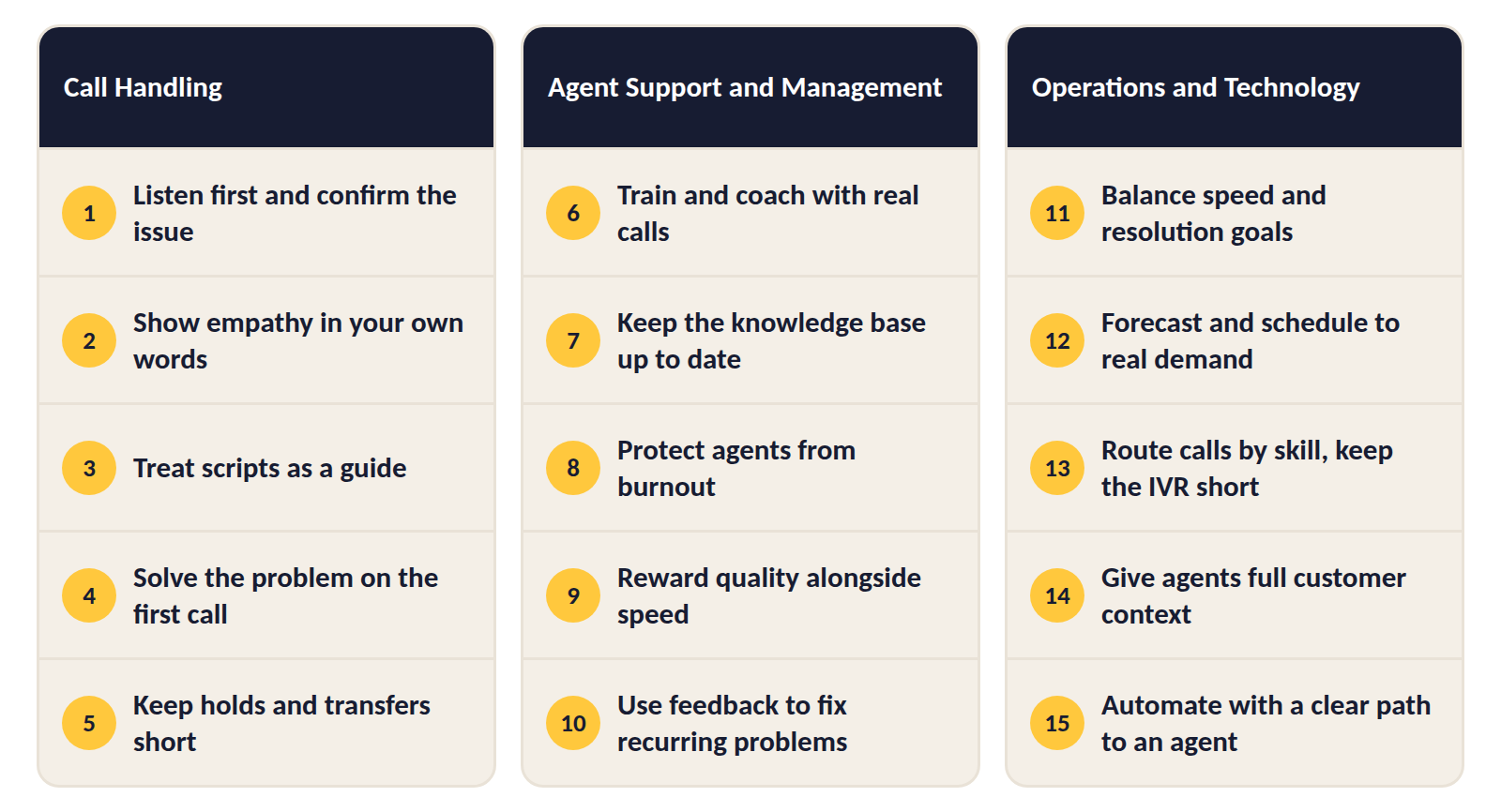
The best practices for call centers cover three things: how agents handle each call, how managers support and coach those agents, and how the operation is staffed, routed, and automated. A team that's strong in only one of the three usually feels the gap in the other two.
Phone support still matters to customers. In McKinsey's 2024 customer care research, respondents of all ages named live phone conversations among their most preferred ways to contact a company for help.
Below you'll find 15 best practices in three groups, each with a first step and a metric to track. You'll also see where to start based on your biggest problem, and how to roll out changes without overwhelming the team.
What Are Call Center Best Practices?
Call center best practices are the habits that well-run teams repeat on every call and every shift, because they've seen them work.
Some are small, for example repeating the caller's problem back before trying to solve it. Others are decisions a manager makes once, from how calls are routed to how often agents get coaching.
What they share is that you can measure their effect. A practice earns its place when fewer customers call back or waits get shorter, and if nothing moves after a fair trial, it probably isn't the right one for your team.
That's also why the list looks different from one call center to the next. A ten-person support line for an online store and a 300-seat bank contact center share the basics, but they won't put the same practices at the top.
Where to Start: Match the Practice to Your Problem
Fifteen practices are too many to launch at once, and you don't need all of them on day one. Find the problem below that sounds most like your team, then begin with the practices named there.
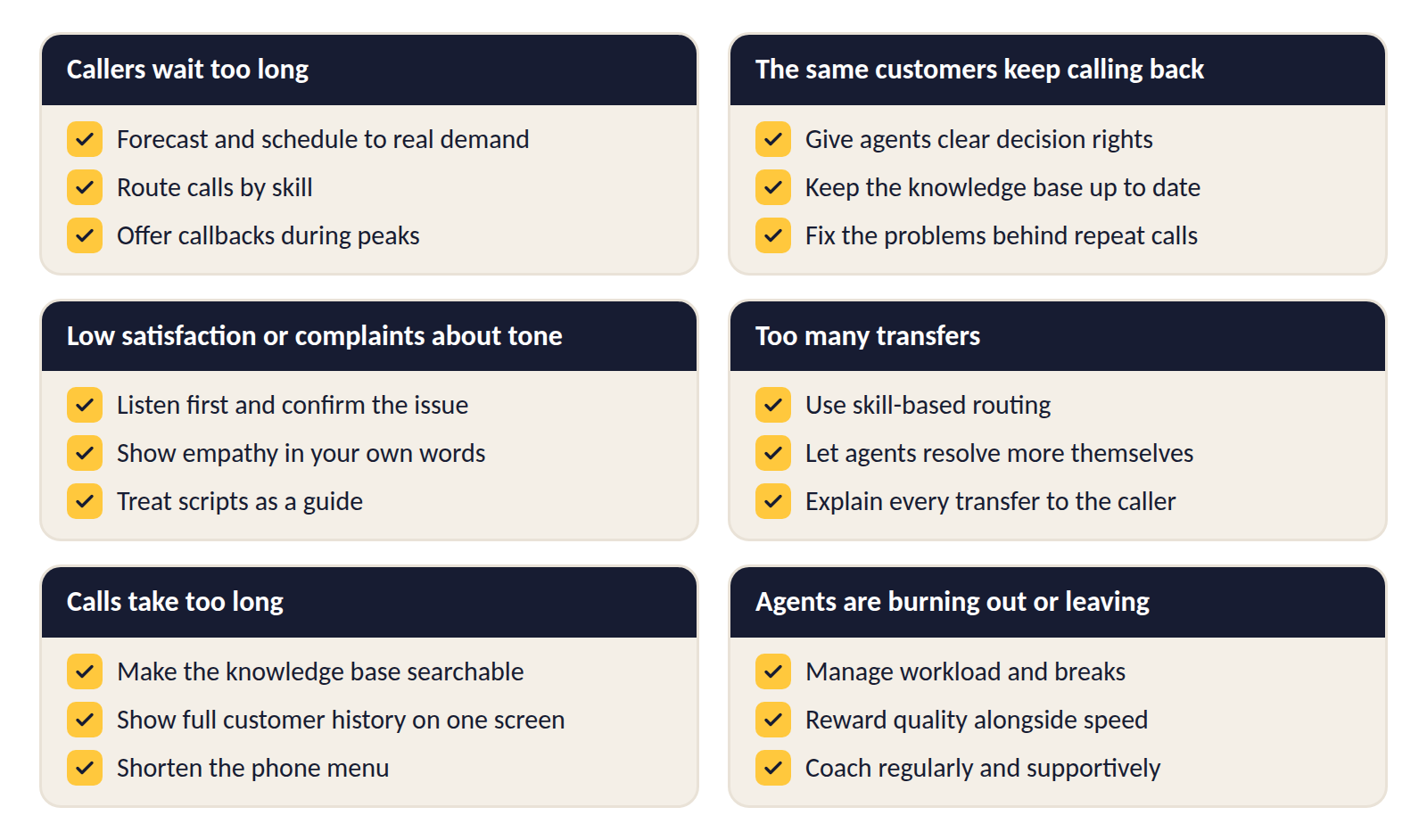
- When callers wait too long, the cause is usually staffing or routing. Begin with forecasting and scheduling to real demand, then check your routing rules and offer callbacks during peaks.
- If the same customers keep calling back, agents probably lack the authority or the information to finish the job. Give them clear decision rights, keep the knowledge base current, and use call reasons to fix the problems behind the repeat calls.
- Low satisfaction scores or complaints about tone point to how calls are handled. Work on listening and confirming the issue, showing empathy in the agent's own words, and loosening rigid scripts.
- For too many transfers, look at skill-based routing first, then at what agents are allowed to resolve themselves and how transfers are explained to the caller.
- Calls that take too long often come down to agents hunting for information. A searchable knowledge base and the customer's full history on one screen fix most of that, and a shorter phone menu helps too.
- Where agents are burning out or leaving, start with workload and breaks, reward quality alongside speed, and make coaching a regular, supportive habit.
5 Best Practices for Call Handling
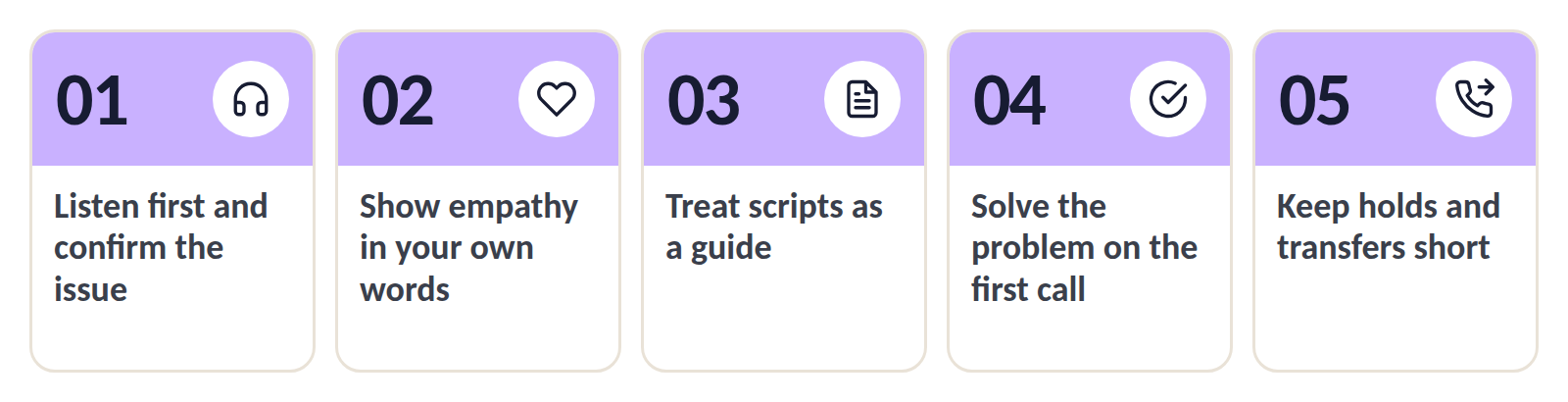
These five practices cover what happens between the moment an agent picks up and the moment the caller hangs up. They're the ones customers notice most directly.
1. Listen First and Confirm the Issue
Callers often start with a symptom, a complaint, or a long backstory, and the real problem only comes out a minute in. Let the caller finish, then repeat the issue back in one sentence and ask if you've got it right.
Then ask what the caller has already tried. Customers lose patience quickly when they're walked through the same three steps they completed before calling.
First step: Add "confirmed the issue in one sentence" to your quality checklist. Metric to track: First call resolution (FCR), meaning the share of calls solved without a follow-up.
2. Show Empathy in Your Own Words
A stock phrase such as "I understand your frustration" tends to sound hollow by the third time a caller hears it. Name the caller's actual situation instead, for example "You've been without internet since Friday and you work from home, so let's get this moving."
Pair empathy with positive language, which means saying what you can do before what you can't. Here are three swaps that work on the phone.
| Instead of | Say |
| "I can't do that until Monday." | "I can have that done for you on Monday." |
| "You'll have to call billing." | "Billing can fix that, and I'll connect you now." |
| "That's not my department." | "Let me get you to the person who handles this." |
When something has gone wrong on your side, apologize once and move to the fix. If the caller is angry, let them finish, keep your voice calm, and avoid arguing over who's to blame.
Our guide on how to respond to a frustrated customer email lists phrases to replace, and most of them apply on the phone too.
First step: Collect five real empathy lines from your best-rated calls and share them with the team. Metric to track: Customer satisfaction (CSAT) and the empathy score in call reviews.
3. Treat Scripts as a Guide
Scripts keep calls consistent and make sure required statements get said. Read word for word, though, they make agents sound robotic and leave them stuck when a caller goes off the expected path.
Mark the lines that must be said exactly, for example legal disclosures or security checks, and turn everything else into short prompts agents can put in their own words.
In practice, the script line "I apologize for any inconvenience this may have caused" becomes the prompt "Acknowledge the specific problem," and the agent chooses the words.
First step: Take your most-used script and highlight only the mandatory lines. Metric to track: CSAT, plus how often agents complete the required statements.
4. Solve the Problem on the First Call
Customers expect to get an answer in one call, and agents can only deliver that if they have the authority to decide. Spell out what they can settle without asking a supervisor.
Megan, a billing agent, might be allowed to approve a credit of up to $50 on her own. Anything above that follows a clear escalation path, with a named person and a time by which the customer hears back.
Have agents summarize what they've done and what happens next before ending the call, then ask if there's anything else they can help with. A short note in the customer record lets the next agent pick up where the call left off if the customer does call back.
First step: List the five most common reasons agents escalate, and decide which ones they could resolve themselves. Metric to track: FCR and escalation rate.
5. Keep Holds and Transfers Short and Explained
A caller left on hold with no explanation tends to assume they've been forgotten. Ask before placing a caller on hold, say roughly how long it'll take, and check back in if it runs over.
When a transfer is needed, explain why and who the caller will speak to. Pass along what the caller has already said, so the next agent doesn't start from zero, and offer a callback when the queue is long.
First step: Set one rule that no call is transferred without a note in the customer record. Metric to track: Transfer rate and abandonment rate, meaning the share of callers who hang up before reaching an agent.
5 Best Practices for Agent Support and Management
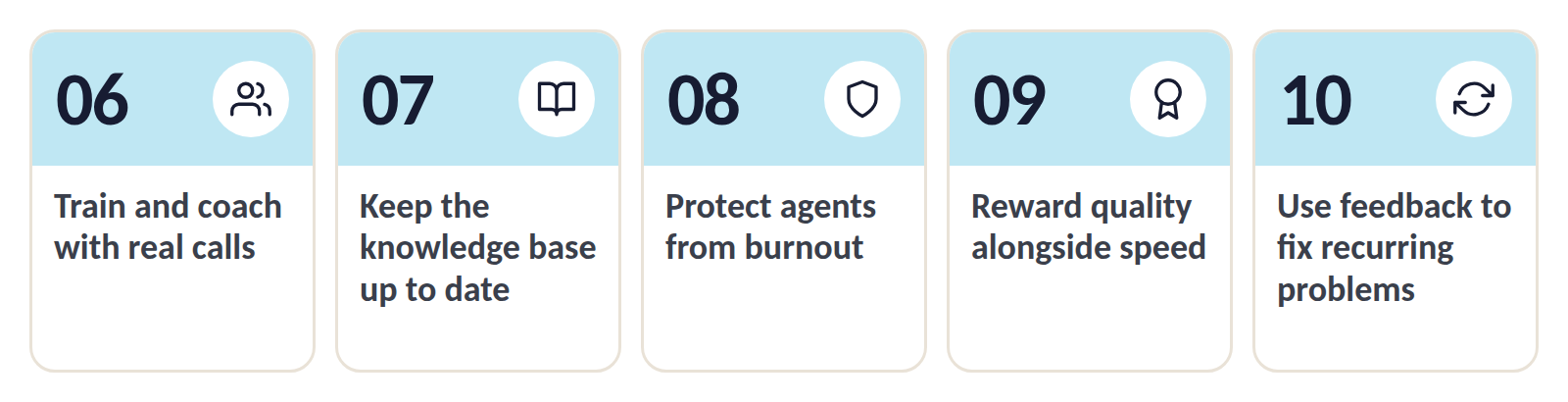
Agents can only handle calls well if the team around them makes that possible. These five practices are the manager's side of the work.
6. Train and Coach With Real Calls
New agents learn fastest from a structured first month: listening to recorded calls, shadowing an experienced colleague, then taking simple call types before moving to harder ones.
After onboarding, score a small sample of each agent's calls every month on a short checklist, so coaching is based on patterns instead of one bad call. In the session, play one or two of those calls and let the agent say what they'd change before you add your own view.
Keep it to one strength and one thing to improve, and check on that one thing next time. Agents are also being asked to do harder work. In a 2026 Gartner survey, 85% of service leaders said they're expanding human agents' responsibilities as AI takes on simpler contacts.
First step: Book a 30-minute coaching session with each agent every two weeks. Metric to track: Quality assurance (QA) score and time until a new agent handles calls alone.
7. Keep the Knowledge Base Useful and Up to Date
An agent who has to search three systems for an answer keeps the caller waiting. Put procedures, product details, and common fixes in one searchable knowledge base, and give every article an owner and a review date.
Agents are the first to notice when an article is wrong, so give them a quick way to flag it while they're on the call. Update the content before a new product, price, or policy goes live, so agents aren't learning about the change from customers.
Good content pays off for self-service too. Gartner found that 43% of self-service failures happened because customers couldn't find content relevant to their issue.
First step: List your top 20 call reasons and check that each one has a current article. Metric to track: Average handle time (AHT) and hold time during calls.
8. Protect Agents From Burnout
Back-to-back calls with upset customers wear people down, and tired agents make more mistakes. Make sure breaks are actually taken, give agents a few minutes off the phones after an abusive call, and keep schedules predictable.
Variety helps. Rotate agents between calls and quieter work, for example email, chat, or updating knowledge base articles, and give them some say over their schedule through shift swaps or preferred days off.
Keep an eye on occupancy, meaning the share of logged-in time agents spend handling calls. When it stays very high for weeks, the team has no room to recover between calls.
First step: Check last month's occupancy by shift and flag any that ran close to full. Metric to track: Agent attrition, absenteeism, and occupancy.
9. Reward Quality Alongside Speed
Agents tend to repeat whatever gets praised. If recognition goes only to the agent with the most calls per hour, others learn to rush, so tie rewards to resolution and satisfaction alongside speed.
Make praise specific, since "You stayed calm with that caller and solved a problem two other agents had missed" teaches the whole team more than a generic "great job."
Compare agents fairly. Someone on the complaints line will always have longer calls than someone answering order-status questions, so set targets by queue. Show agents where the job can lead, from senior agent to trainer or quality reviewer.
First step: Add one quality measure, for example FCR or CSAT, to your existing incentive scheme. Metric to track: FCR and CSAT by agent.
10. Use Customer Feedback to Fix Recurring Problems
A call center hears about every broken process in the company, often before anyone else does. Tag each call with its reason, then review the top categories every month.
Share the patterns with the teams that can fix them, from billing to product. If 200 callers a month ask where to find their invoice, moving the invoice link to the account home page removes most of those calls.
Give each problem an owner and check later that calls about it have dropped, then tell agents what changed. Fixing causes at the source is also a core part of any plan to improve customer experience.
First step: Add a required "reason for call" field and review the top five at the end of the month. Metric to track: Call volume by reason and repeat contact rate.
5 Best Practices for Operations and Technology
The last group covers how the operation is set up, from targets and schedules to routing and automation. These practices decide whether agents get a fair chance to do the first ten well.
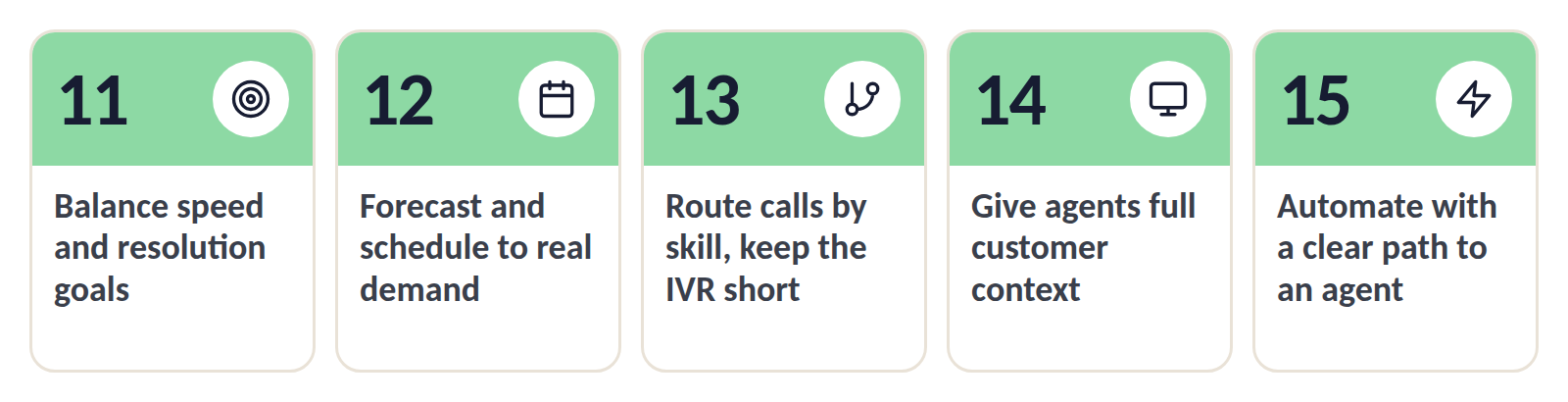
11. Set Goals That Balance Speed and Resolution
A target built only on speed pushes agents to end calls quickly, and customers call back with the same problem. Pair every speed target with a quality target on the same scorecard, for example service level (the share of calls answered within a set time) next to FCR.
An agent who closes a call in three minutes and gets a callback an hour later has cost you two calls. Treat AHT as a range to watch, and look into calls that are unusually short as well as unusually long.
Explain the goals to the team. Agents hit targets more reliably when they know why each number matters and how it's calculated.
Keep the scorecard to five or six numbers the team understands, and make sure they connect to your wider customer service strategy.
First step: Review your current scorecard and add a resolution or satisfaction measure next to each speed measure. Metric to track: Service level and FCR together.
12. Forecast and Schedule to Real Demand
Long waits usually come from too few agents at the wrong time. Build forecasts from recent call data in 30-minute intervals, then shape shifts so the most agents are working when the most calls arrive.
Move breaks, meetings, and training into quiet periods, and plan for the time agents spend away from the phones, from training to sick days. On the day itself, watch the queue and adjust, for example by moving agents from email or back-office work to the phones when waits start to climb.
Our guide to call center service level shows how staffing and wait times connect, with a worked example.
First step: Chart last month's calls by half hour and compare the peaks with your shift pattern. Metric to track: Service level by interval and schedule adherence, meaning how closely agents follow their planned shifts.
13. Route Calls by Skill and Keep the IVR Short
Every misrouted call costs the customer a transfer and the team extra handling time. Use skill-based routing to send calls to agents who can handle the topic, the language, or the customer type.
Keep the interactive voice response (IVR) menu short, and always give callers a way to reach a person. Smart call routing can go further by using the caller's history and intent before the call is connected.
Call your own support line once a month and count how long it takes to reach a person. If you get lost in the menu, so do your customers.
For sudden spikes, set overflow rules that send calls to a backup group once the wait passes a limit, and record a short message when there's a known outage.
First step: Find the three most common transfer reasons and adjust the routing rule behind each one. Metric to track: Transfer rate and time spent in the IVR.
14. Give Agents Full Customer Context in One View
Customers don't like repeating themselves, and agents lose time asking for details the company already has. Show the customer's history when the call connects, including earlier calls, emails, and chats.
If Tom emailed about a late delivery yesterday and calls today, the agent should see that email before saying hello. The most useful details are the reason for the last contact, any open case, and what's already been tried.
All that detail on screen needs protecting, so verify the caller's identity before discussing account details. Limit who can see sensitive fields and call recordings through user roles and permissions.
Connecting channels pays off in cost as well. In Deloitte Digital's 2024 survey of 600 contact center leaders, companies that had implemented omnichannel integration tools reported a 9% lower cost per assisted contact.
First step: Put the customer's last three interactions on the agent's screen at the start of each call. Metric to track: AHT and FCR.
15. Automate Simple Requests With a Clear Path to an Agent
Order status, password resets, and opening hours don't need an agent, and a support chatbot or IVR option can handle them around the clock. Self-service has limits, though. Gartner's research found that only 14% of issues are fully resolved that way.
Pick requests that are frequent, simple, and need no judgment, and check regularly where customers drop out of the automated flow.
Customers also want an easy handoff. In a 2026 Gartner survey, 87% of customers said it's essential to have an option to reach a human agent when a company uses generative AI. When the handoff happens, pass the conversation so far to the agent, so the customer doesn't have to start again.
AI in customer service helps agents too. In the Deloitte Digital survey, companies deploying generative AI were 35% less likely to report agents overwhelmed by information.
First step: Automate your three simplest request types and add a "talk to an agent" option at every step. Metric to track: Self-service resolution rate and call volume for those request types.
How to Roll Out New Practices in 4 Steps
Changing too much at once is the fastest way to make sure nothing sticks. Introduce new practices in four steps, at a pace the team can absorb.
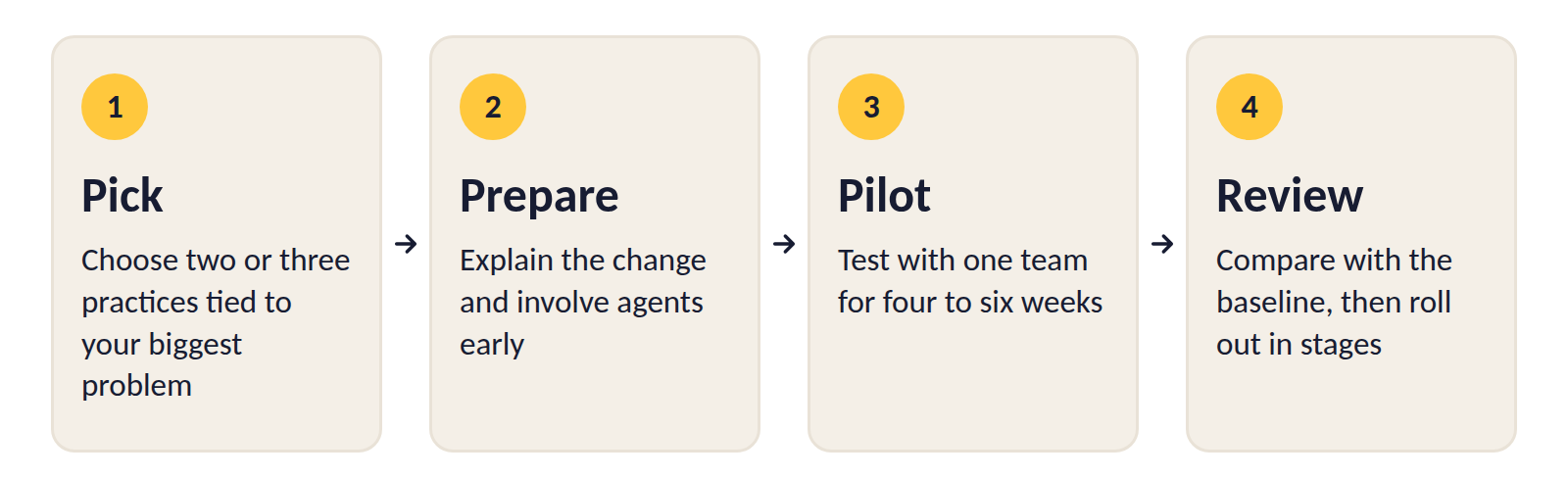
1. Pick Two or Three Practices Tied to Your Biggest Problem
Go back to the list at the top of this guide and choose the practices that match your most pressing problem. Two or three is enough, ideally one that's quick to put in place and one that takes longer but goes deeper.
For each one, write down the metric you'll judge it by and where that number stands today. The next section shows how to set that baseline. Avoid starting during your busiest season, when nobody has room for anything new.
2. Explain the Change and Involve Agents Early
A new rule that arrives without a reason tends to be followed for a week and then forgotten. Tell the team what's changing, why, and how you'll know if it worked, and brief team leads first so they can answer questions.
Ask a few experienced agents to help shape the details, for example which script lines to cut or which decisions agents should be able to make alone. Agents are more likely to follow a change they helped shape, and they usually know where the current process breaks.
3. Run a Pilot With One Team
Test each practice with a single team for four to six weeks before changing anything for everyone. Pick a typical team for the pilot, since your strongest group would make almost any change look good.
Hold a short check-in every week and ask two questions: what's working, and what's getting in the way. Fix small problems as they come up, and keep notes, because they'll become the training material for the wider rollout.
4. Review the Results and Roll Out in Stages
At the end of the pilot, compare the numbers with your baseline and decide whether to keep the practice, adjust it, or drop it. Dropping a practice that didn't move the metric is a normal outcome, and it frees time for one that might work better.
Roll out what worked one team at a time, with agents from the pilot helping to train the others. Then build it into the things that outlast any project: the QA checklist, the knowledge base, and onboarding for new agents. Check the numbers again after three months to make sure the gain has held.
How to Measure Whether These Practices Are Working
Measuring a practice means comparing the same number before and after the change, under conditions that are as similar as possible. The rollout steps above tell you when to measure, and this section covers how.
Record a Baseline Before You Change Anything
A baseline is the average of your chosen metric over the four weeks before the change, taken from the same queue and the same team that will run the pilot. Note the date the change starts, since a result with no "before" number can't be proven either way.
Compare Like With Like
Call volume and call types shift with the season, the day of the week, and every billing run. Compare the same weekdays and a similar period, and change one thing at a time so you know what caused the result.
Use a second team as a comparison where you can. If the pilot team improves and a similar team that changed nothing doesn't, the practice is doing the work. Leave out the first week when you compare, since the start of any change is usually messy.
Calculate the Key Metrics
Here's how to calculate the metrics used throughout this guide, grouped by the question each one answers.
| What you're checking | Metric | How to calculate it |
| 1. Do customers reach help quickly? | Service level | Calls answered within your time limit ÷ total eligible calls × 100 |
| Average speed of answer | Total wait time of answered calls ÷ number of answered calls | |
| Abandonment rate | Callers who hung up before an answer ÷ total incoming calls × 100 | |
| 2. Does the problem get solved? | First call resolution (FCR) | Issues solved in one call ÷ total issues × 100 |
| Repeat contact rate | Customers who contact you again about the same issue ÷ total customers who contacted you × 100 | |
| 3. How do customers rate the support? | Customer satisfaction (CSAT) | Positive ratings ÷ total survey responses × 100 |
| 4. Is the work sustainable for agents? | Occupancy | Time spent on calls and after-call work ÷ total logged-in time × 100 |
| Attrition | Agents who left in a period ÷ average number of agents × 100 |
Two of these need a decision before you start. For FCR, agree on how you'll know an issue was solved, for example no second contact about it within seven days, or a "yes" to "Was your issue resolved today?" in a post-call survey. For CSAT, decide which ratings count as positive, usually the top two on a five-point scale.
The data usually comes from three places: your contact center platform's reports, a short post-call survey, and the checklists from call reviews.
Read the Numbers Together
A single number can mislead, so check the others before you call a practice a success. Say Megan's team gives agents the authority to approve small credits. Six weeks later, FCR has gone from 68% to 75%, while AHT is up by 20 seconds.
That's a good trade, because fewer customers are calling back. If FCR had stayed flat while AHT rose, the practice wouldn't be working and would need another look.
Watch for side effects too. Faster answers with falling resolution usually mean calls are being rushed, while good scores with rising attrition suggest the team is paying for them with overwork.
5 Call Center Habits to Leave Behind
Some habits were standard for years and now do more harm than good. The five below are still common, and each one works against the practices above.
1. Making Customers Repeat What They've Already Entered
A caller types in an account number in the phone menu, waits in the queue, and then hears "Can I have your account number, please?" Pass what the caller entered to the agent's screen, or stop asking for it in the menu.
2. Judging Agents on Numbers They Can't Control
An agent can't shorten the queue or stop a price increase from dragging satisfaction scores down. Measure agents on what happens during their calls, for example resolution and call quality, and keep wait times and overall satisfaction as team-level numbers.
3. Treating Training as a One-Time Event
Onboarding covers the product as it was on the agent's first day. Six months later, prices, policies, and features have changed, so run a short refresher whenever something changes and a regular session on the call types agents find hardest.
4. Using Call Monitoring Only to Catch Mistakes
When reviews exist only to find errors, agents start to hide problems. Use monitoring for coaching, and point out what went well as often as what didn't.
5. Hiding the Phone Number to Cut Call Volume
Customers who need help still find a way to reach you when the contact page is buried, and they arrive more irritated than they would have been. Reduce calls by fixing what causes them and by offering self-service that works.
How Nexios Helps You Put These Best Practices to Work
Good habits are hard to keep when agents have to work across several different tools. The Nexios platform is a cloud-based omnichannel contact center that puts phone, email, live chat, SMS, and messaging apps in one unified interface, so agents and supervisors work from the same customer history.
- For routing, call control and queuing covers intelligent, rule-based call distribution with skill-based and time-based routing, IVR, queue overflow handling, and callback reconnect for missed connections.
- Team leads can coach with real calls, since the same tools include call recording, coaching, and monitoring.
- Contact tagging and prioritization make it easier to record why customers call and spot the problems that keep coming back.
- To see whether a practice is working, reporting and analytics give supervisors a real-time dashboard, custom reports, and the option to add their own KPIs.
- Nexios AI, built on the platform's in-house developed AI, can handle routine questions around the clock and hand the conversation to a human agent when it needs one.
- For teams in regulated industries, Nexios works as GDPR-compliant contact center software that lets you define data-retention periods, user roles, and permissions according to your internal policies.
See how these practices could work in your contact center. Talk to our team
Best Practices for Call Centers FAQs
1. What are the most important best practices for call centers?
The most important best practices for call centers are the ones that fix your biggest problem first. For many teams, a strong starting set is:
- Solve the problem on the first call, with clear decision rights for agents
- Coach regularly with real calls
- Schedule to real demand so callers don't wait
- Route calls by skill to cut transfers
- Balance speed targets with resolution targets
2. What is good call center etiquette?
Good call center etiquette means treating the caller's time and problem with respect throughout the call:
- Greet the caller and give your name
- Listen without interrupting, then confirm the issue
- Ask before placing the caller on hold
- Explain any transfer and who they'll speak to
- Summarize what you've done and what happens next
3. How can a call center improve customer experience?
A call center can improve customer experience by making it easy to reach the right person and get a complete answer. Shorten waits with better scheduling and routing, give agents the customer's full history, and let them solve problems without transfers.
Then use call reasons and feedback to fix the issues that make customers call in the first place.
4. What metrics should call center managers track?
Call center managers should track a small set of metrics that cover speed, resolution, satisfaction, and agent wellbeing:
- Speed: service level, average speed of answer, abandonment rate
- Resolution: first call resolution, repeat contact rate
- Satisfaction: CSAT and post-call feedback
- Team health: occupancy, attrition, QA scores
5. How should agents handle difficult customers?
Agents should handle difficult customers by listening without interrupting, naming the specific problem, and saying what they can do next. Staying calm and avoiding blame keeps the call from escalating.
If a caller becomes abusive, the agent should set a polite boundary and involve a supervisor, following a process the team has agreed on in advance.
6. How can a call center reduce transfers and repeat calls?
A call center can reduce transfers and repeat calls by routing each call to an agent with the right skills and giving agents the authority to resolve common issues themselves.
A current knowledge base and visible customer history help agents finish the job in one call, and tracking call reasons shows which problems to fix at the source.
7. How can call centers use AI without losing the human touch?
Call centers can use AI without losing the human touch by automating simple, repetitive requests and keeping a clear path to a person at every step.
Use AI to support agents as well, for example with suggested answers and call summaries, so they have more time and attention for the conversations that need a human.
8. How do you reduce agent burnout in a call center?
To reduce agent burnout in a call center, give agents real breaks, predictable schedules, and time to recover after difficult calls. Keep occupancy at a level the team can sustain, vary the work where possible, and recognize quality as well as speed.
Regular coaching and a say in how processes change also help agents feel supported.
Get free insights via email
Practical support insights on service metrics, AI and the playbooks teams actually run, straight to your inbox. Free, unsubscribe anytime.